Crypt Survivors
Project Overview
Developed for and placed first in the Toronto Film School Spring 2025 Game Jam.
Crypt Survivors is a fast-paced 2D action roguelike featuring melee, ranged, and magic combat. Players strategically select attacks, manage resources, and survive escalating enemy waves while collecting powerful upgrades through a weighted reward system.
My Role
I led development of the core gameplay systems for Crypt Survivors, with a focus on responsive combat, modular upgrades, and clear player feedback.
- Designed and implemented the directional combat system
- Built the weighted reward and upgrade selection system
- Developed projectile mechanics and scalable spell behaviors
- Handled input processing and dynamic attack spawning logic
The primary goal was to make combat feel immediate and satisfying while ensuring upgrades meaningfully altered player strategy.
Key Technical Highlights
-
Directional Combat System:
Player attack direction is calculated using mouse position and
Camera.ScreenToWorldPoint, dynamically determining angles for melee, ranged, and magic attacks. -
Weighted Upgrade System:
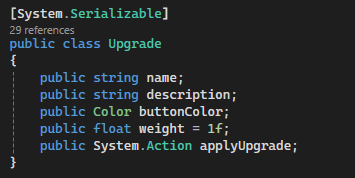
Upgrades are defined through a modular
Upgradeclass containing name, description, button color, selection weight, and anapplyUpgradeaction. - Randomized Reward Selection: Three upgrades are selected at runtime using weighted random logic, ensuring varied and replayable runs.
- Dynamic UI Integration: Upgrade buttons display contextual information and apply effects instantly while resuming gameplay seamlessly.
- Flexible Attack & Spell Modifiers: Upgrades can modify damage, attack speed, projectile behavior, spell size, or fully replace attack types while safely handling stacking and conditional logic.
- Player Feedback & Audio: UI interactions trigger sound events to reinforce player choice and provide immediate feedback.
Gameplay Highlights
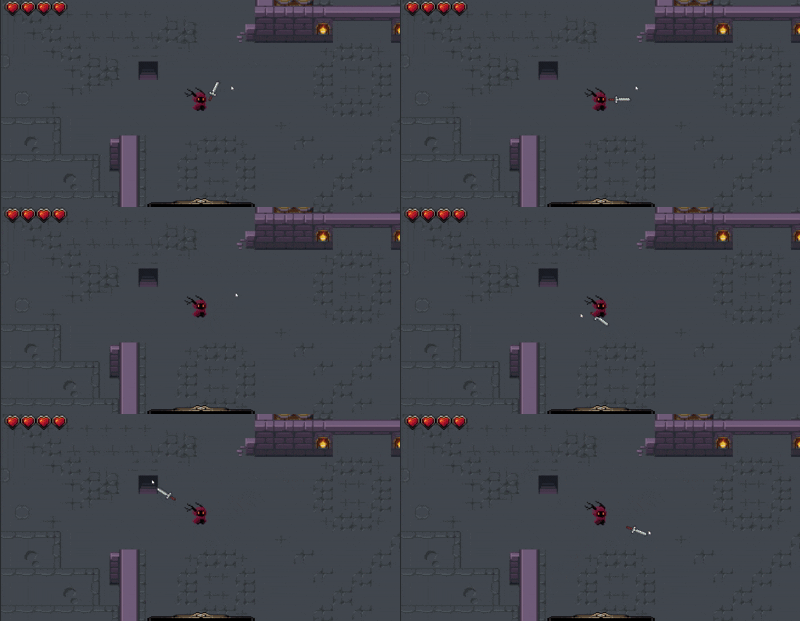
Directional Melee Combat
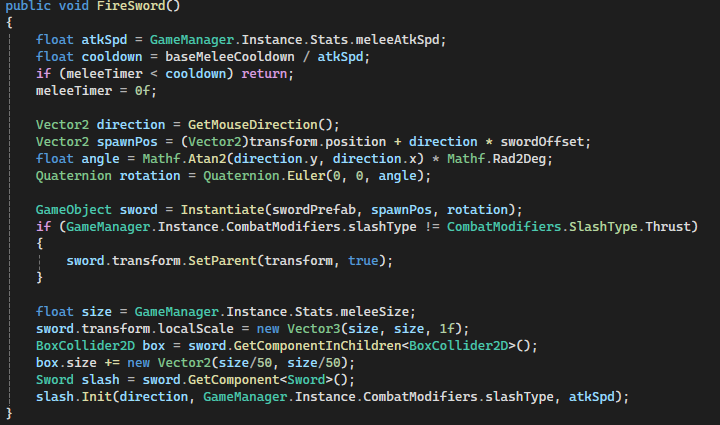
Sword attacks in Crypt Survivors are designed to respond directly to mouse direction, allowing the player to aim slashes, spins, or thrusts dynamically. Each attack type is handled with a combination of instantiation, rotation, and scale adjustments based on player stats and combat modifiers.
Why it’s done this way
- Directional melee allows precise, skill-based combat, giving players control over swing direction.
- Separating
PlayerCombatandSwordscripts ensures input vs. animation logic is modular and maintainable. - Cooldowns and attack speed scaling allow player stats to directly influence responsiveness, giving a sense of progression.
How it works
-
FireSword():
- Calculates mouse direction.
- Computes spawn position offset from player.
- Applies rotation depending on slash type.
- Adjusts size and collider to match scaling stats.
- Instantiates the sword prefab.
-
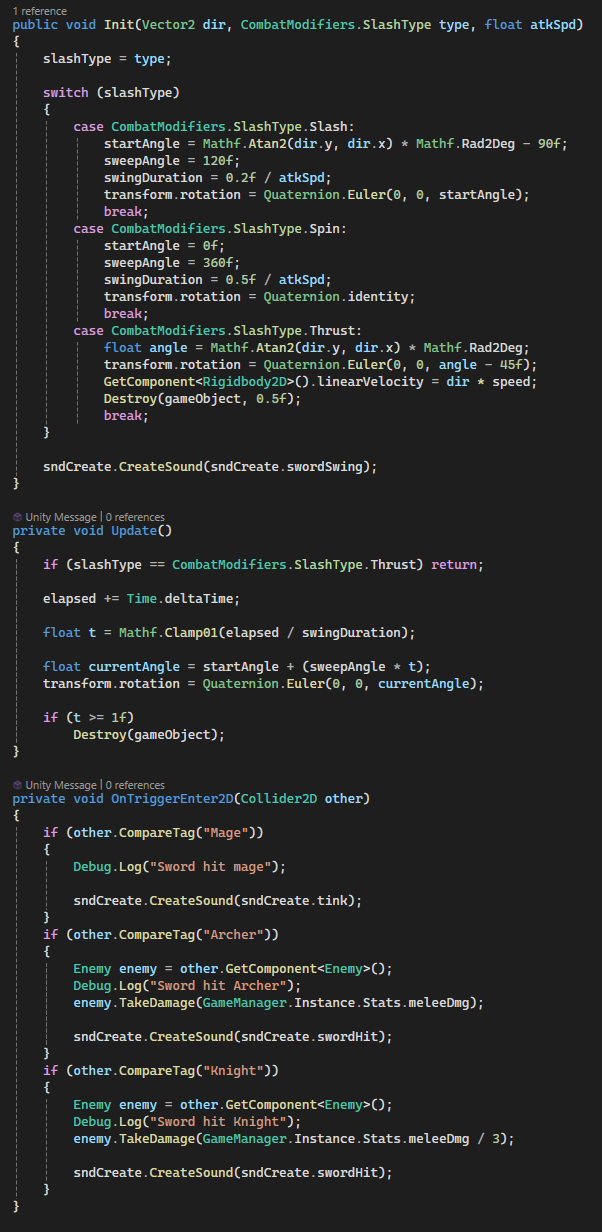
Sword.cs:
- Animates slash over time for Slash/Spin types.
- Moves the sword linearly for Thrust type.
- Handles collisions for different enemy types.
- Plays sound effects for each hit type.
Code Snippets
FireSword()in PlayerCombat.cs – calculates direction, spawn, rotation, and initializes the sword.Update()in Sword.cs – rotates the sword through the sweep angle and handles destruction.
Bow Mechanics
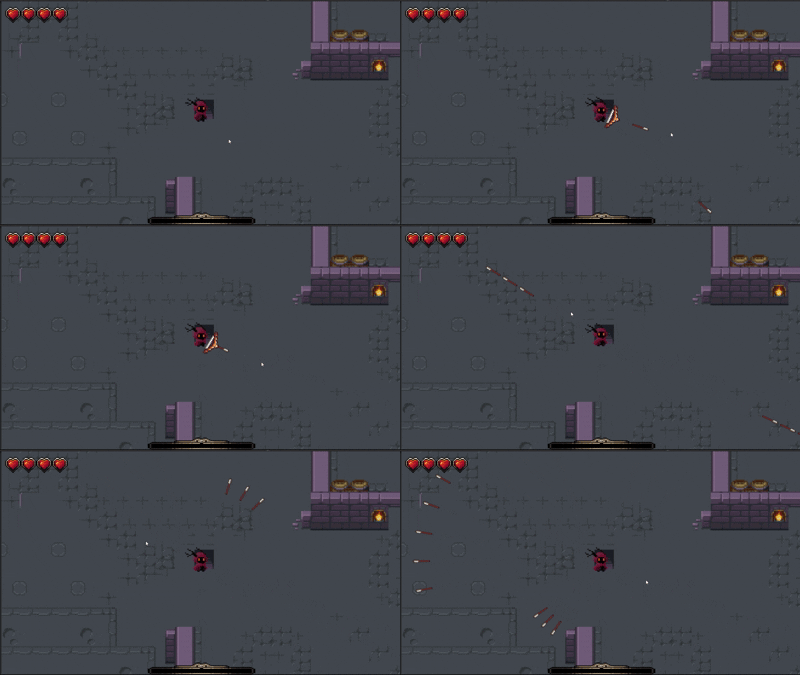
The bow system in Crypt Survivors allows players to engage at range with precision, offering multiple firing modes and projectile behaviors.
Why it’s done this way
- Supports both precision shots and area spread attacks for variety in combat.
- Separate
PlayerBowandArrowscripts for modularity and maintainability. - Cooldown and draw time mechanics create a sense of skill-based timing.
How it works
-
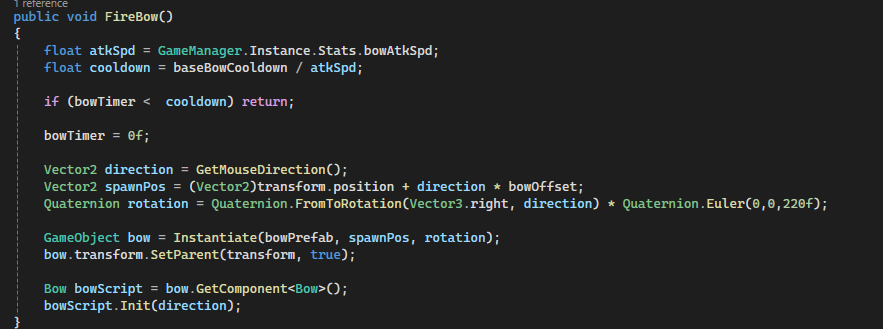
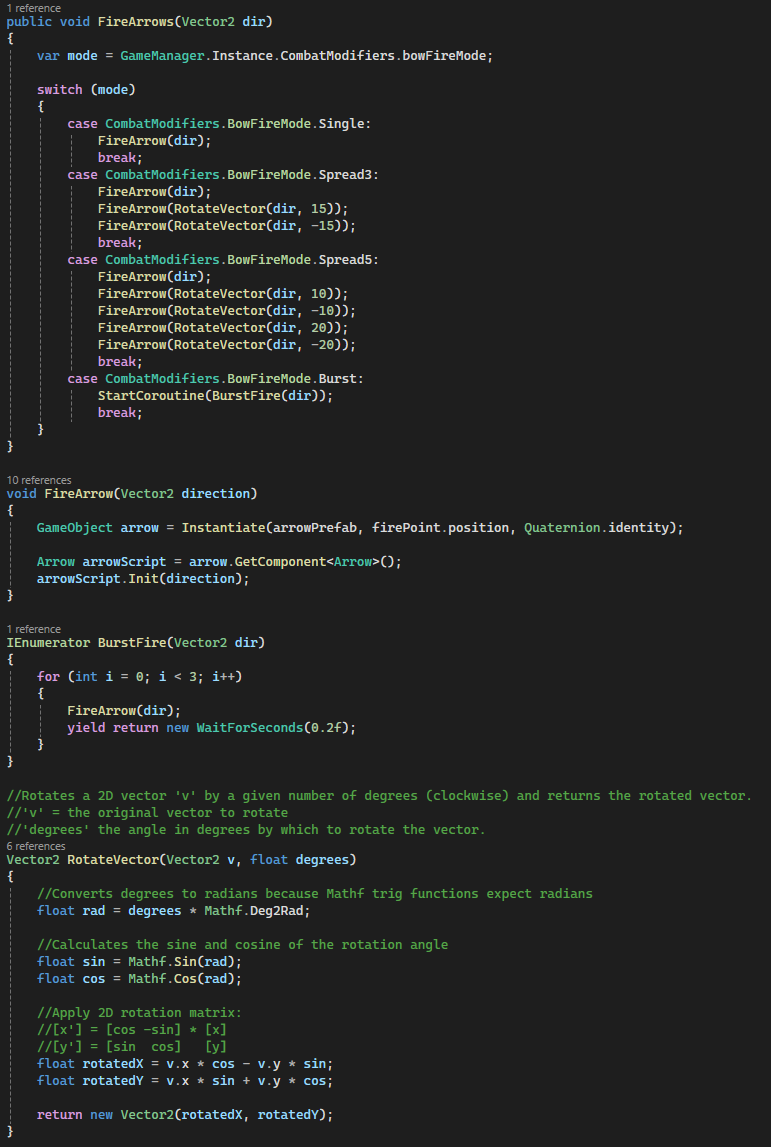
FireArrow():
- Calculates direction based on mouse or controller aim.
- Spawns arrow prefab with speed, rotation, and damage values.
- Supports multiple modes: single shot, spread (multiple arrows at slight angles), and burst.
-
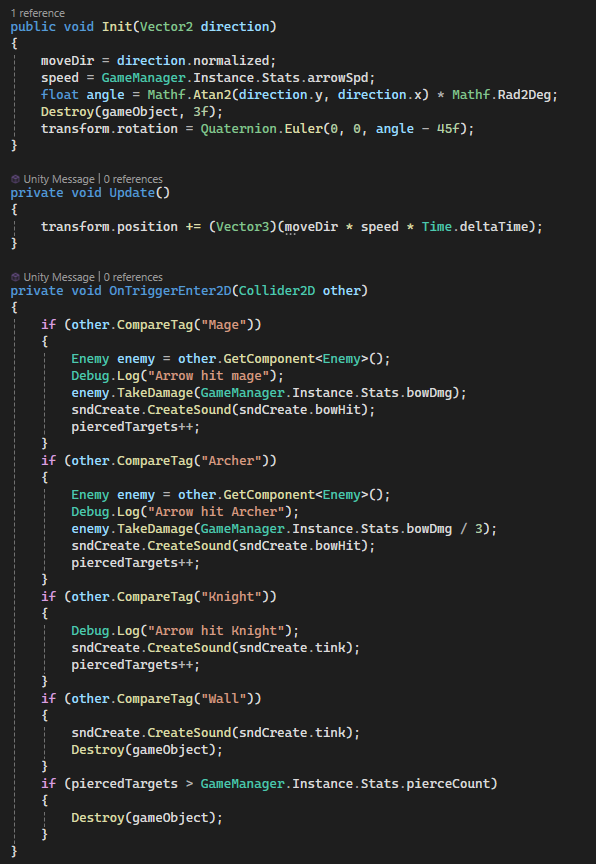
Arrow.cs:
- Moves arrow forward each frame based on speed.
- Detects collisions with enemies or environment.
- Handles piercing or bouncing logic for advanced arrow types.
- Optional particle/sound effects on hit.
Code Snippets
FireArrow()in PlayerBow.cs – handles aiming, spawning, and arrow type selection.Update()in Arrow.cs – moves the arrow and manages collisions/damage.
Magic Spells
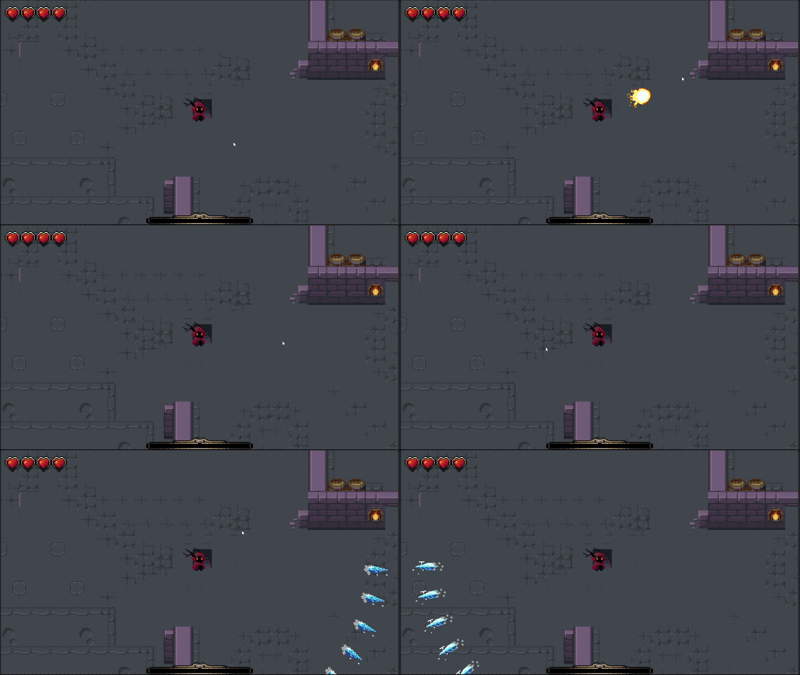
Players can cast a variety of magic spells, each with distinct behaviors and effects. Spells scale dynamically based on player stats, allowing meaningful progression.
Why it’s done this way
- Provides variety in combat styles: ranged, area, and directional spells.
- Allows scaling with player stats (damage, size, casting speed) for progression.
- Separate spell scripts (
Fireball.cs,LightningBolt.cs,IceShard.cs) keep behavior modular and maintainable. - Audio and visual feedback reinforces impact and helps communicate spell mechanics.
How it works
-
Fireball:
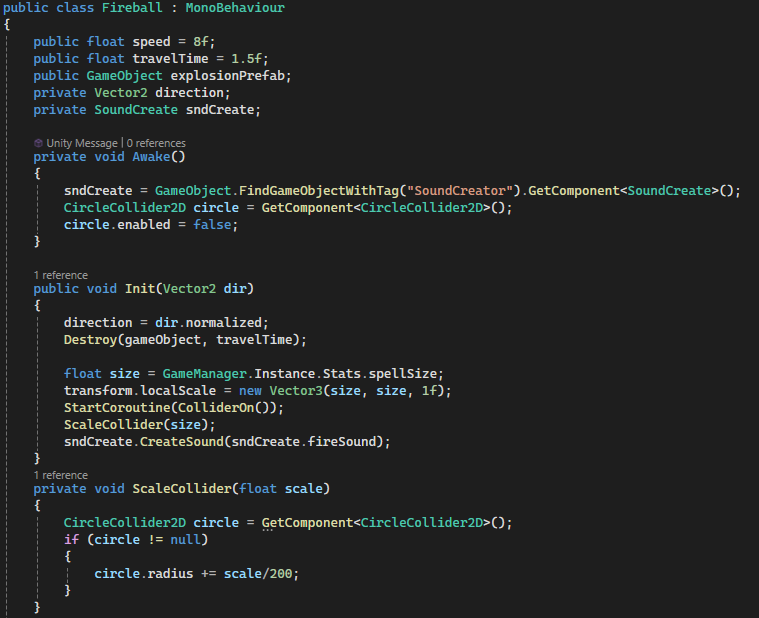
- Travels forward at a set speed and explodes on impact.
- Collider activates after a short delay to avoid self-hit.
- Damage varies by enemy type; sound and explosion prefab triggered on hit.
-
LightningBolt:
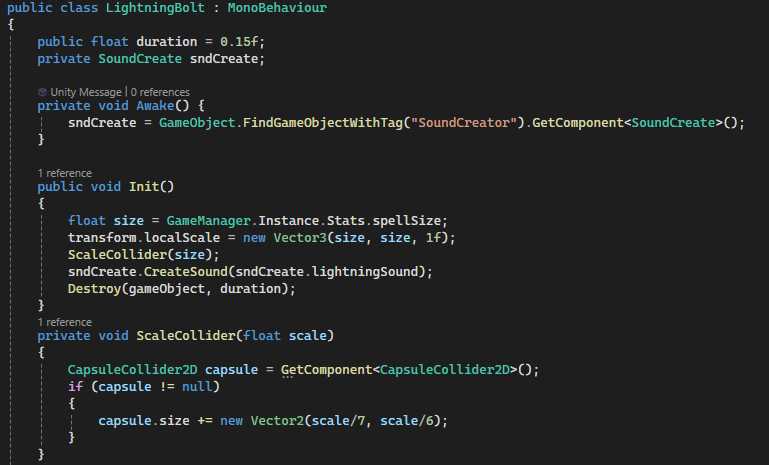
- Instant effect with very short duration.
- Deals variable damage based on enemy type.
- Plays lightning and hit sounds; collider scales with spell size.
-
IceFan (IceShard):
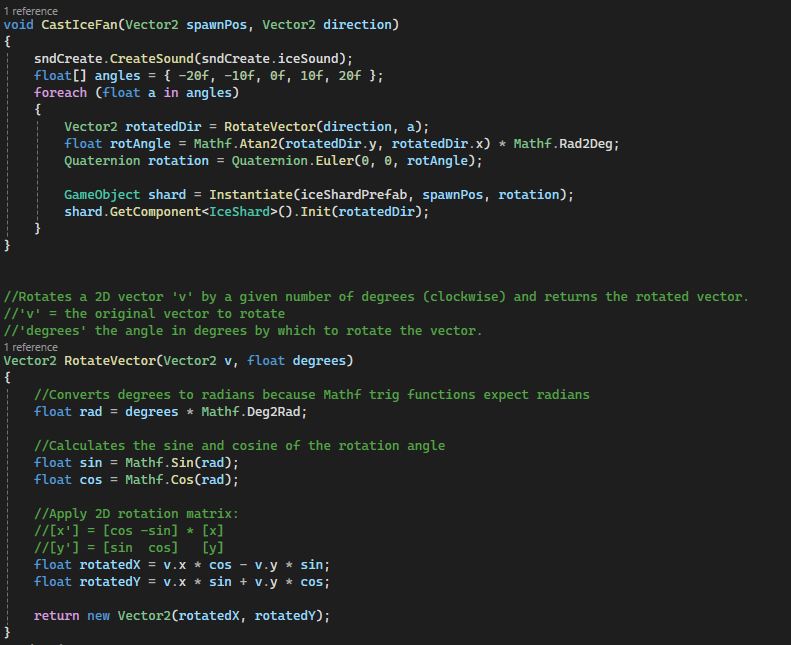
- Fires multiple shards in a fan pattern with slight angular offsets.
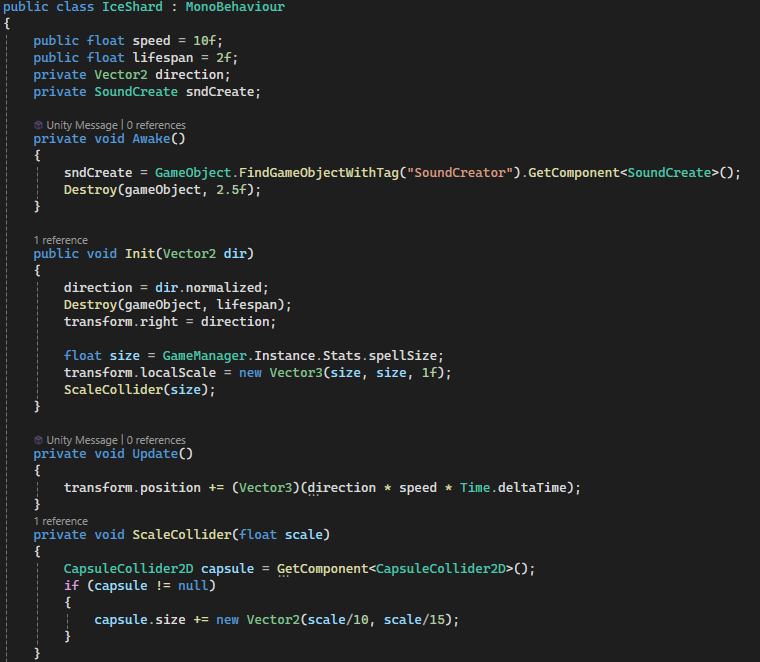
- Shards move forward, scale with player stats, and detect collisions with enemies and walls.
- Plays ice sound effects on impact or block.
Code Snippets
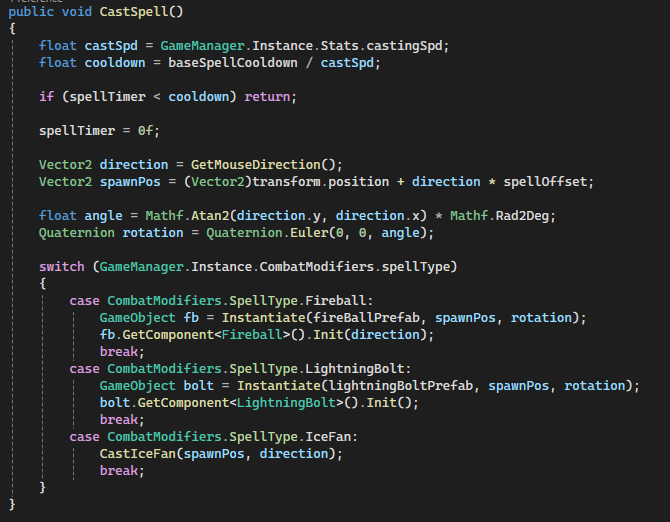
CastSpell()in PlayerCombat.cs – chooses spell type, calculates direction, spawns prefab, and initializes spell.Init()in Fireball.cs, LightningBolt.cs, IceShard.cs – handles scaling, movement, collision, and audio.CastIceFan()– rotates vectors to create a fan of shards, each with its own collision and visual effect.
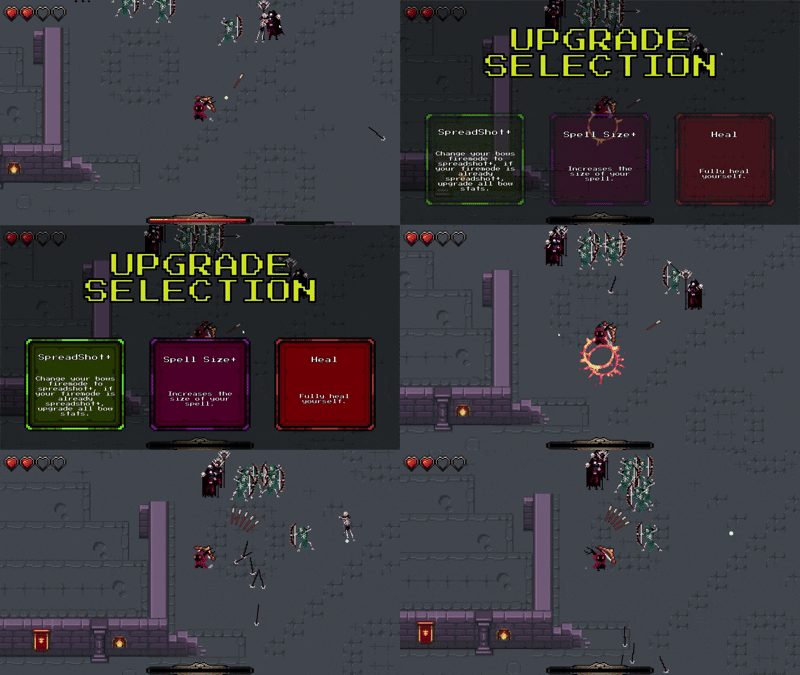
Reward UI
After leveling up, players are presented with a selection of random upgrades. Each upgrade can enhance weapons, spells, or player stats, offering strategic choices and progression tailored to the player's playstyle.
Why it’s done this way
- Provides meaningful choices on level-up without overwhelming the player.
- Supports modular upgrades for melee, bow, spells, and player stats.
- Uses visual cues like button color and text to indicate type of upgrade.
- Includes smooth UI interactions and audio feedback for selecting upgrades.
Key Implementation Features
-
Lambda expressions:
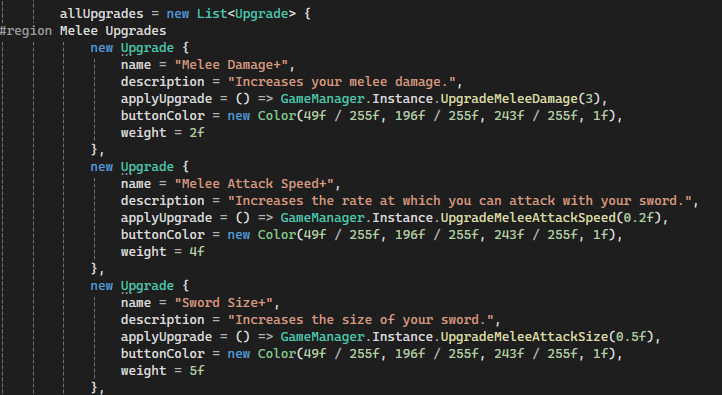
Each upgrade's effect is defined inline using a
System.Action, which is a lambda function in C#. This allows you to say:applyUpgrade = () => GameManager.Instance.UpgradeMeleeDamage(3);
The() =>is the lambda operator: it defines a small function without a separate method. -
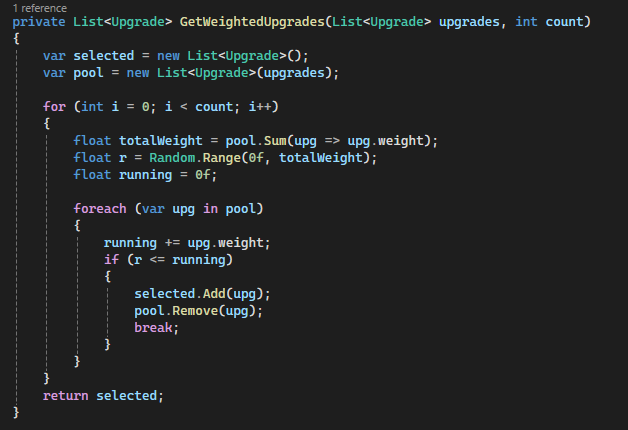
Weighted random selection:
Each upgrade has a
weight(a number ≥ 0). When picking upgrades, the system does the following:- Sum all weights:
totalWeight = sum(weights) - Pick a random number
rbetween 0 andtotalWeight - Iterate through upgrades, adding their weights cumulatively until
runningWeight ≥ r - Select that upgrade and remove it from the pool
Total weight = 1+3+6 = 10.
Generate random r = 4.
Cumulative weights: 1, 4, 10 → the second upgrade is picked because 4 ≤ cumulative weight 4. - Sum all weights:
-
Dynamic UI assignment:
Button colors, titles, descriptions, and click events are assigned at runtime using the chosen upgrades.
Audio feedback is also triggered using the
SoundCreatesystem when an upgrade is selected.
How it works in game
- When the player levels up, the game pauses (
Time.timeScale = 0). - The reward UI spawns and randomly selects 3 upgrades using weighted randomness.
- Each button shows the upgrade name, description, and a color-coded button indicating type (melee, bow, spell, or player).
- The player clicks a button to apply the upgrade; the lambda executes the corresponding function in
GameManager. - Game resumes immediately after selection.