Project Overview
Target Practice is a 2D physics-driven archery game where players control both the angle and power of their shots using a click-and-drag input system. A real-time trajectory preview helps players line up their shots before firing arrows at moving targets.
The project focuses on implementing projectile physics, responsive player input, and clear gameplay feedback through trajectory visualization, scoring systems, and dynamic target behaviour.
My Role
I developed all gameplay systems for this project in Unity using C#. The primary focus was building a responsive projectile system and supporting gameplay systems around it.
- Implemented a physics-based arrow shooting system
- Built a real-time trajectory prediction system using projectile equations
- Created dynamic targets with randomized movement patterns
- Developed a centralized GameManager to control score, arrows, and spawning
- Implemented HUD systems for player feedback including power, angle, and score
Key Technical Highlights
- Physics-Based Projectile System: Arrow movement is simulated manually using velocity and gravity, allowing precise control over projectile behaviour.
- Real-Time Trajectory Visualization: A LineRenderer predicts the arrow's path using the projectile motion equation so players can preview their shot before firing.
- Drag-Based Input System: Mouse dragging dynamically adjusts shot angle and power, creating an intuitive aiming mechanic.
- Dynamic Target Behaviour: Targets spawn with randomized movement types including stationary, horizontal, and vertical motion to vary gameplay difficulty.
- Event-Driven UI Updates: UnityEvents are used to notify the HUD when score or arrow counts change, keeping gameplay systems loosely coupled from UI systems.
Gameplay Highlights
Physics-Driven Archery Aiming
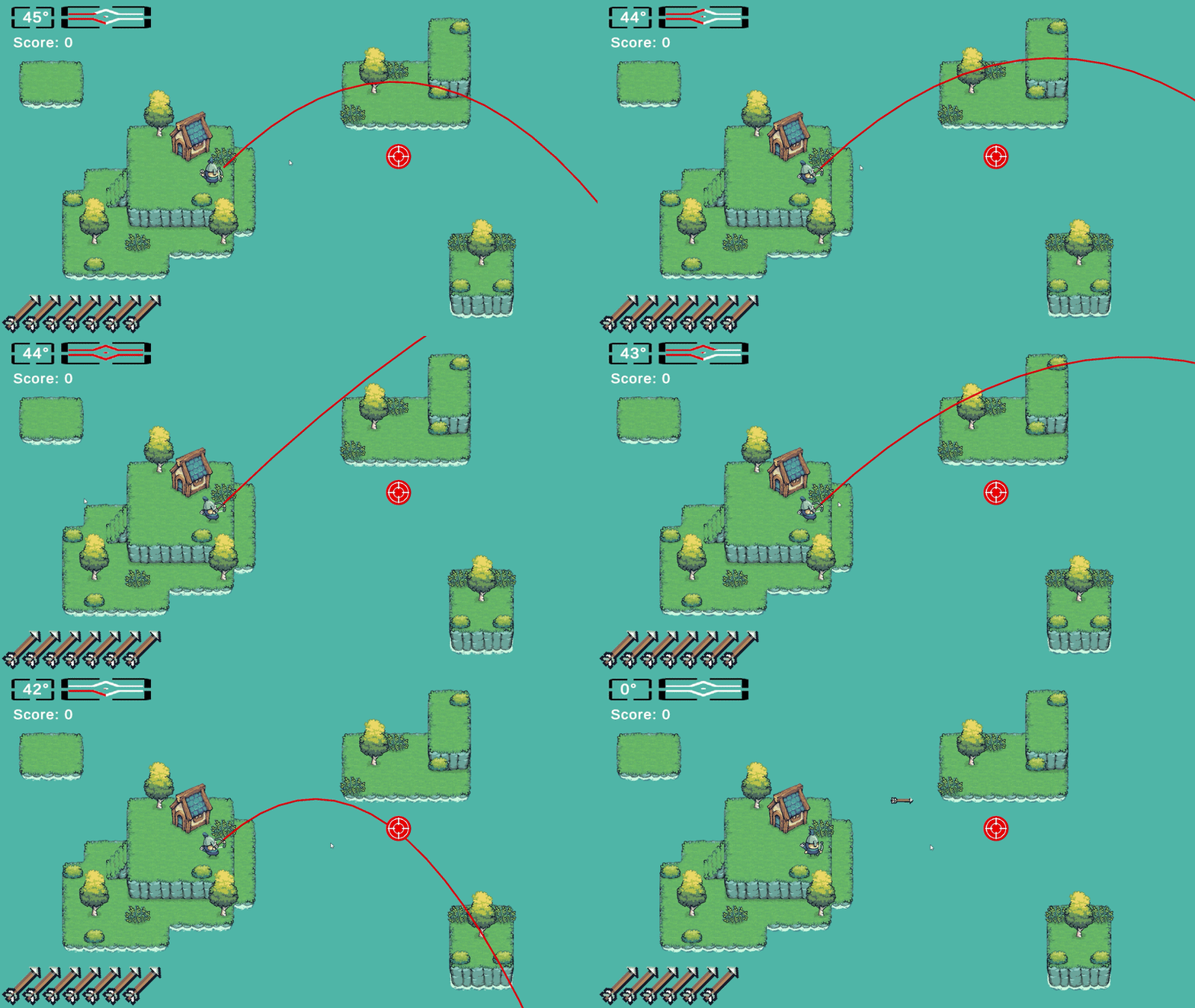
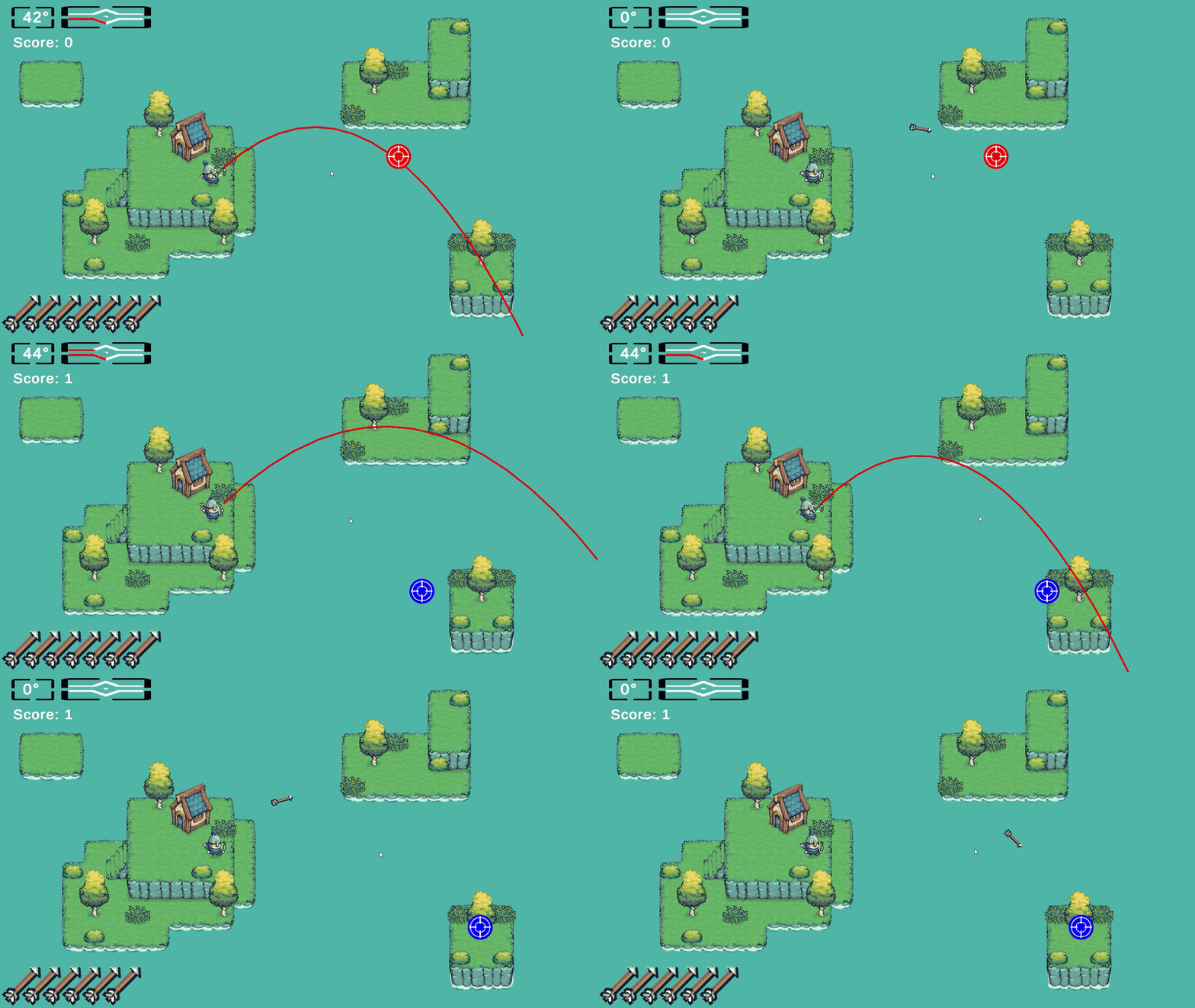
The aiming system uses mouse drag input to control both the angle and power of each shot while displaying a real-time trajectory preview. Vertical drag adjusts launch angle, horizontal drag modifies shot power, and the predicted arrow path is visualized using a LineRenderer. This gives players precise control over their shots while clearly communicating how the underlying projectile physics behaves.
Why it’s done this way
- Drag input mimics pulling back a bowstring, making the control scheme intuitive.
- Separating power and angle into two axes gives players precise shot control.
- Real-time trajectory visualization helps players understand the projectile physics.
- Immediate visual feedback improves readability and shot planning.
How it works
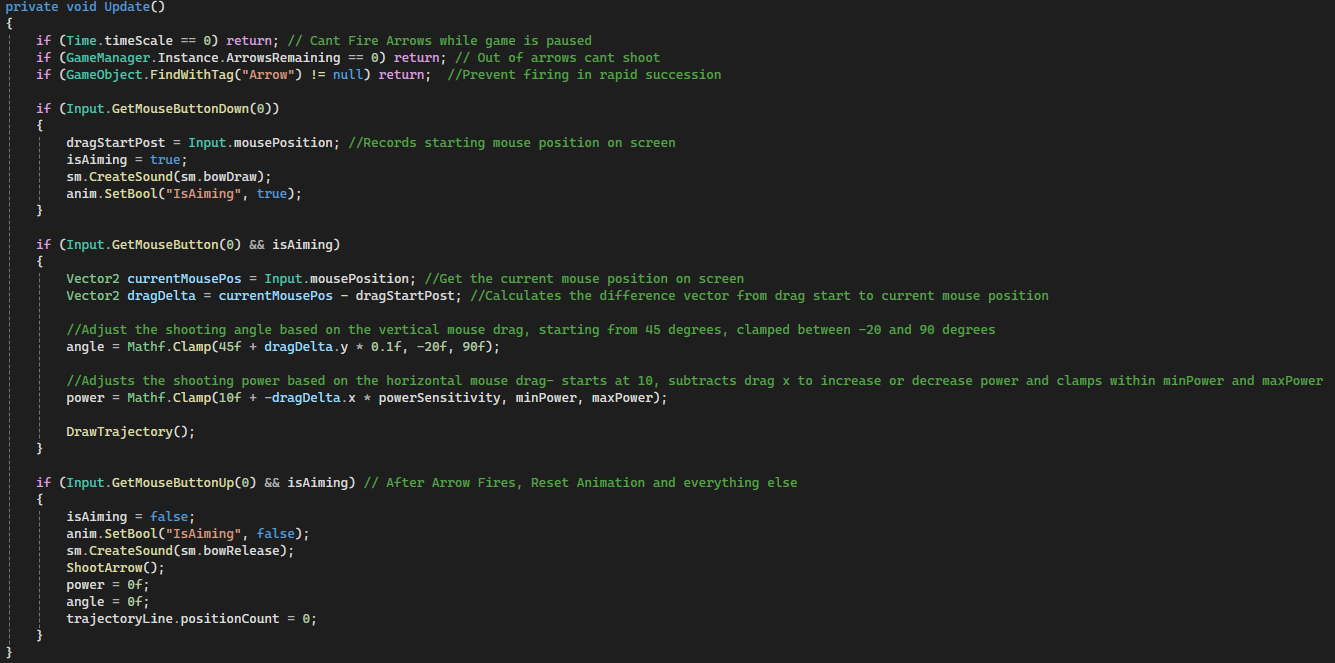
- Mouse Down: stores the initial mouse position and enters aiming mode.
- Mouse Drag: calculates drag delta to adjust launch angle and shot power.
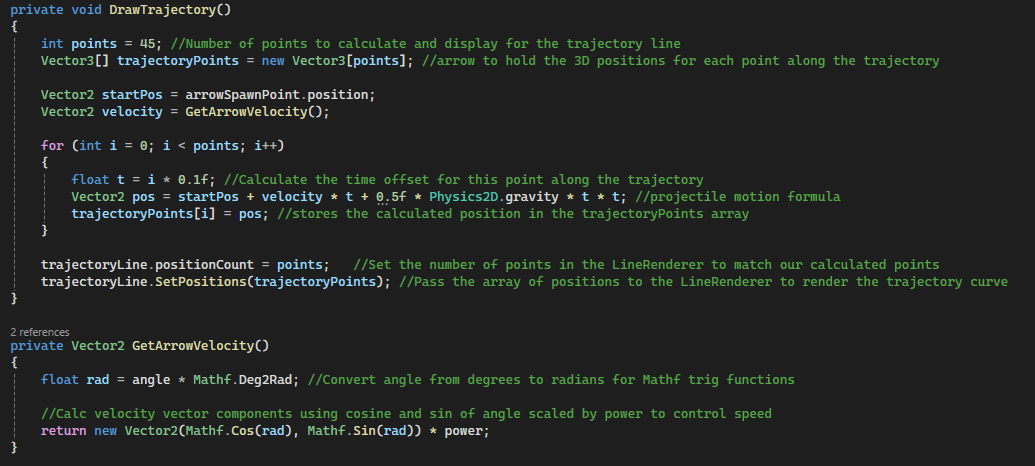
- Velocity Calculation: converts angle and power into a velocity vector.
- Trajectory Prediction: projectile motion is simulated to generate trajectory points.
- Visualization: points are rendered using a LineRenderer to preview the shot arc.
Code Snippets
Update()in PlayerController.cs – drag input and shot parameter calculation.GetArrowVelocity()– converts angle and power into velocity.DrawTrajectory()– predicts projectile path and renders the preview arc.
Centralized Game State & Event System
A singleton GameManager controls the core state of the game including score tracking, arrow count, target spawning, and game over logic. Gameplay systems communicate through UnityEvents to keep systems loosely coupled and avoid direct references between UI and gameplay logic.
Why it’s done this way
- Centralizes game state in a single authority.
- UnityEvents allow UI systems to react to gameplay changes without tight coupling.
- Systems remain modular and easier to maintain.
How it works
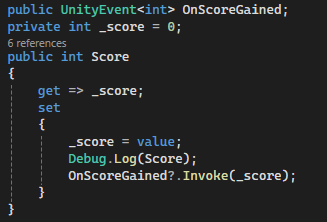
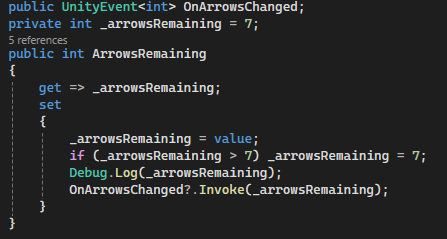
- GameManager stores score, arrows remaining, and targets destroyed.
- Property setters trigger UnityEvents when values change.
- HUD elements subscribe to these events to update the UI.
- Targets notify the GameManager when destroyed.
Code Snippets
Score propertyinvoking OnScoreGainedArrowsRemaining propertyinvoking OnArrowsChangedSpawnTarget()for randomized spawning

Physics-Based Arrow Simulation
Arrow movement is simulated manually rather than relying on Unity’s Rigidbody physics. This allows precise control over velocity updates, gravity application, and arrow rotation during flight.
Why it’s done this way
- Ensures trajectory preview perfectly matches arrow motion.
- Provides consistent behaviour regardless of physics settings.
- Allows custom rotation to align arrow with velocity.
How it works
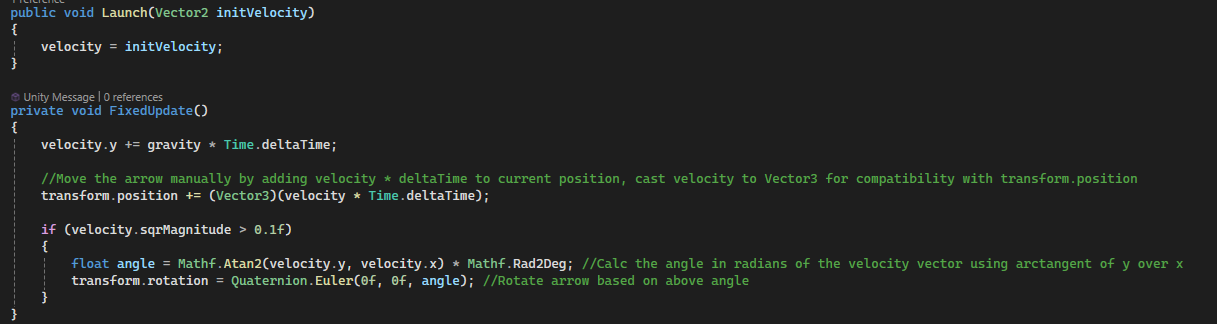
- Arrow stores velocity when launched.
- Gravity is applied each physics update.
- Position updates using velocity * deltaTime.
- Arrow rotates along the velocity vector.
Code Snippets
Launch()in Arrow.csFixedUpdate()updates movement and rotation.
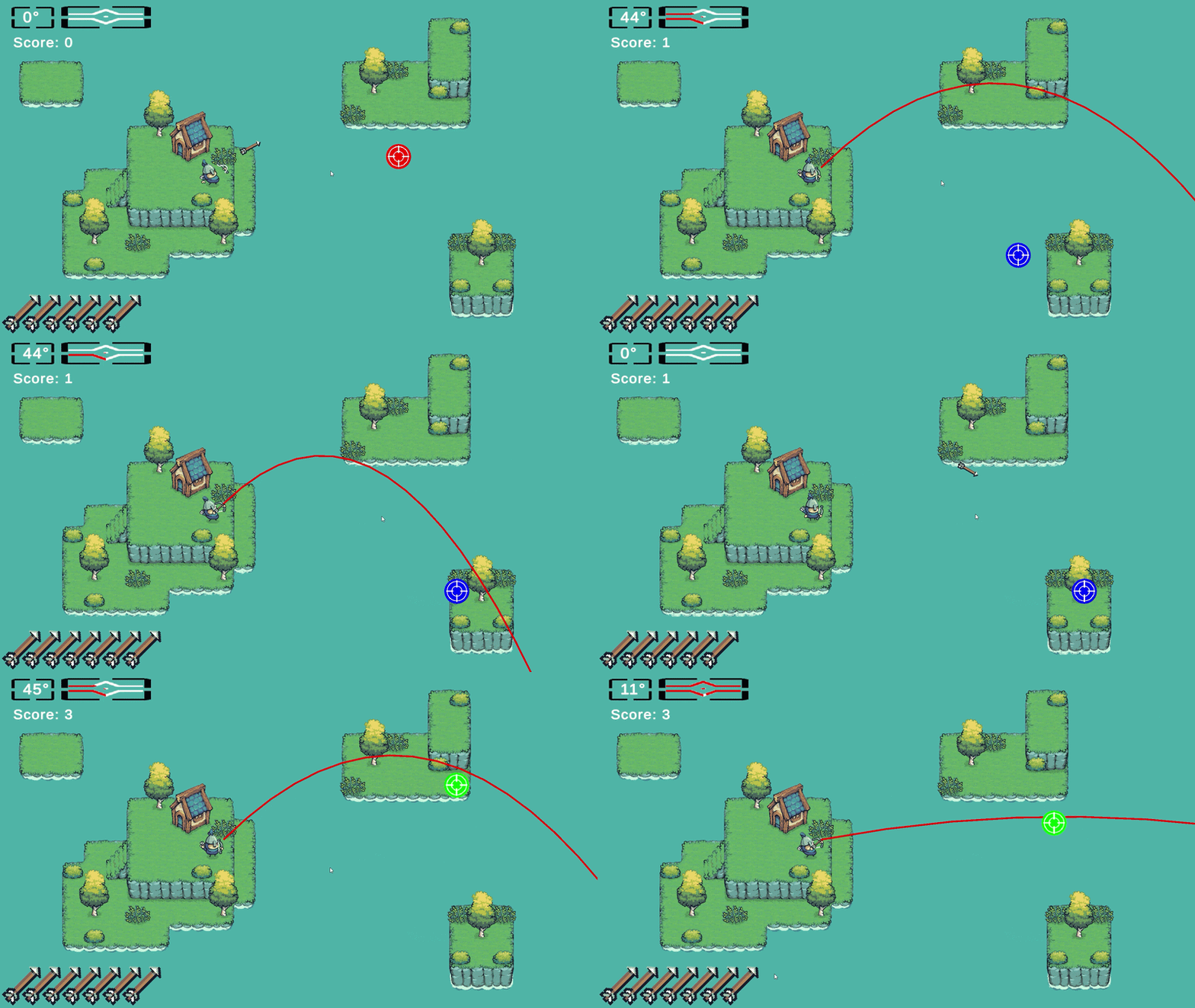
Dynamic Target Behaviour
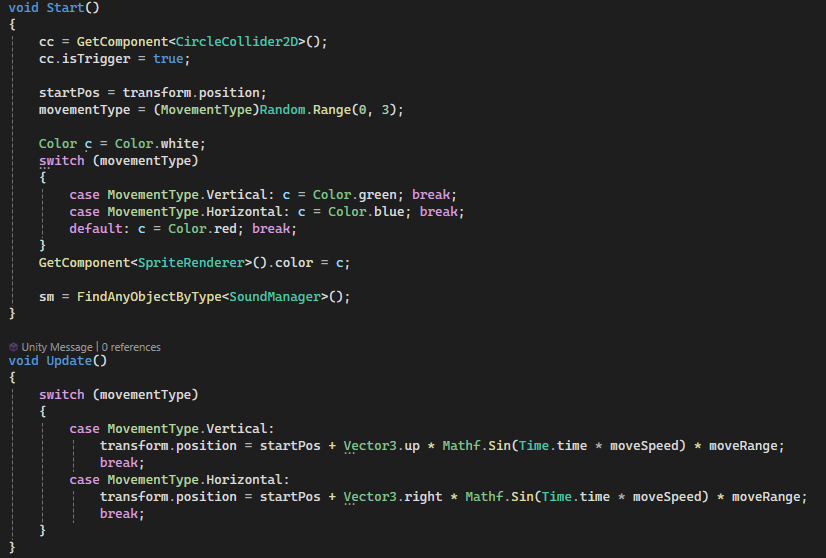
Targets spawn with randomized movement patterns including stationary, horizontal, and vertical motion, creating varied difficulty and encouraging players to adapt their aim.
Why it’s done this way
- Movement variety increases challenge.
- Different scoring rewards riskier targets.
- Randomized patterns prevent repetitive gameplay.
How it works
- Targets randomly choose a movement type when spawned.
- Sine-wave motion controls horizontal or vertical movement.
- Destroying targets awards score and spawns replacements.
Code Snippets
MovementType enumin Target.csUpdate()handles movement patterns.OnTriggerEnter2D()awards score.